On a construction site, between an anomaly identified during excavation, a network connection to document, and an observation to report back to the office, field information often circulates poorly. Messaging apps, non-geolocated photos, paper notes: the risk of data loss or errors is real, and re-entering information in the office is time-consuming.
For Public Works stakeholders, the challenge is even greater: maintaining comprehensive and up-to-date documentation of their infrastructure is now essential, both to optimize project monitoring and to comply with regulations on the prevention of damage to underground networks.
EasyView now integrates a module for geolocated site notes to address this challenge — and contribute to better-documented networks with every intervention.
EasyView, Syslor’s Augmented Reality App for the Field
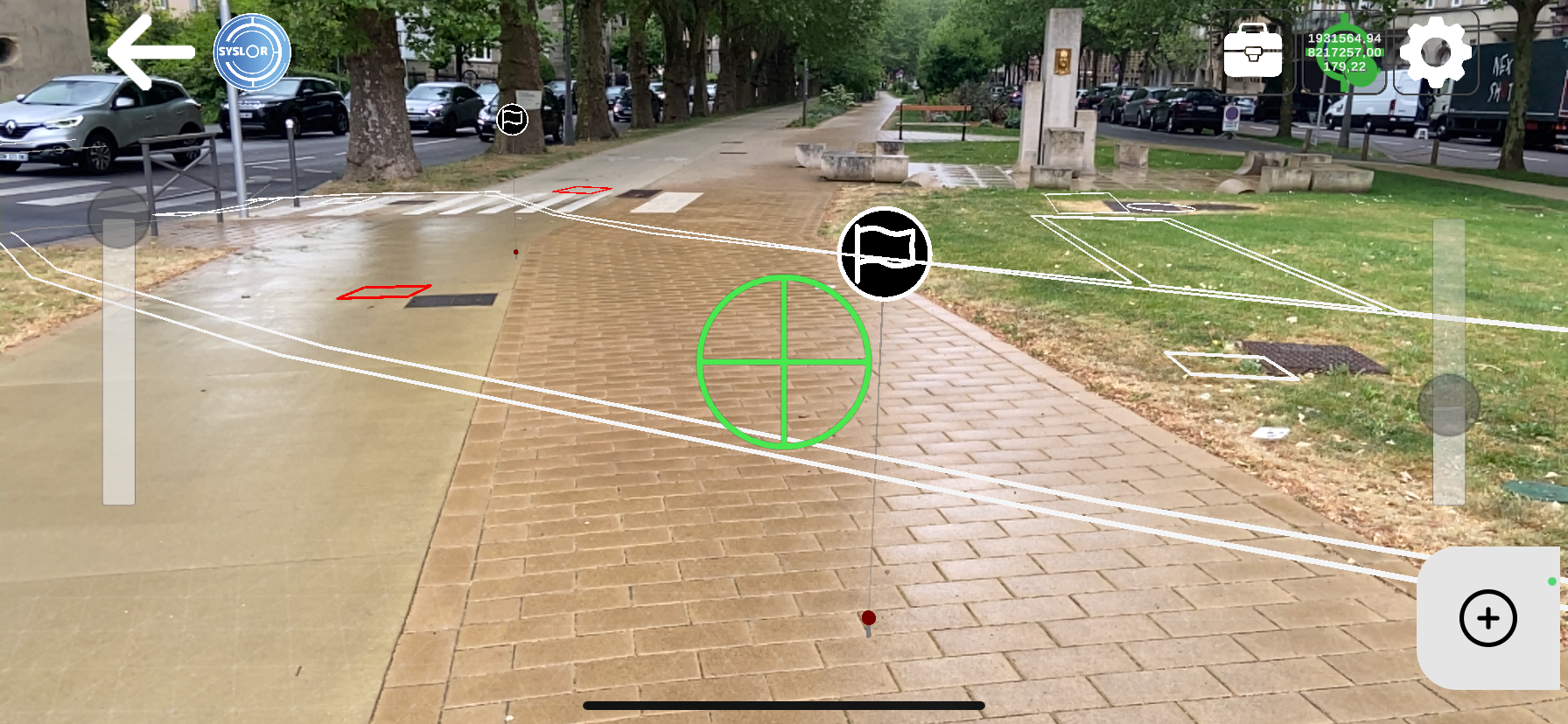
EasyView is Syslor’s mobile application designed to visualize underground networks in augmented reality and achieve centimeter-level accuracy in RTK conditions, thanks to its connection with the Syslor GNSS receiver.
It allows field teams to load a network plan, overlay it onto the real-world view via a smartphone or tablet camera, and perform marking and staking operations with automatic generation of marking reports.
Geolocated Site Notes: How It Works
EasyView users can now create notes directly from the map or from the augmented reality view. Each field note includes three components:
- A free-text comment — observation, anomaly report, team instruction, as-built remark
- A photo — captured at the time of entry or imported from the gallery
- GNSS position — automatically recorded from the receiver at the time of entry
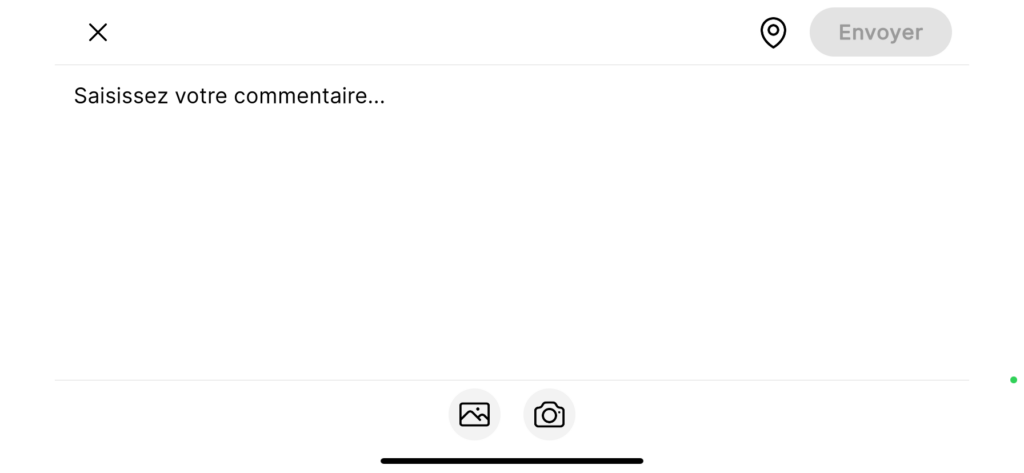
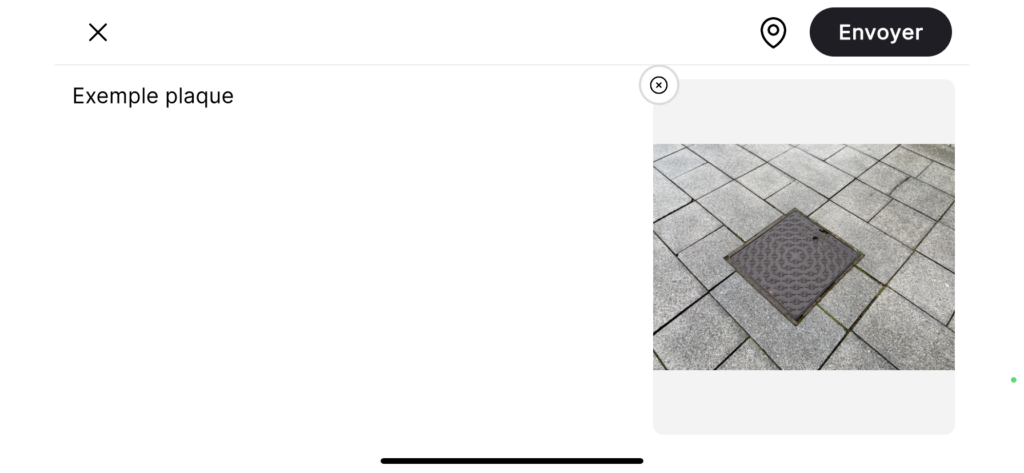
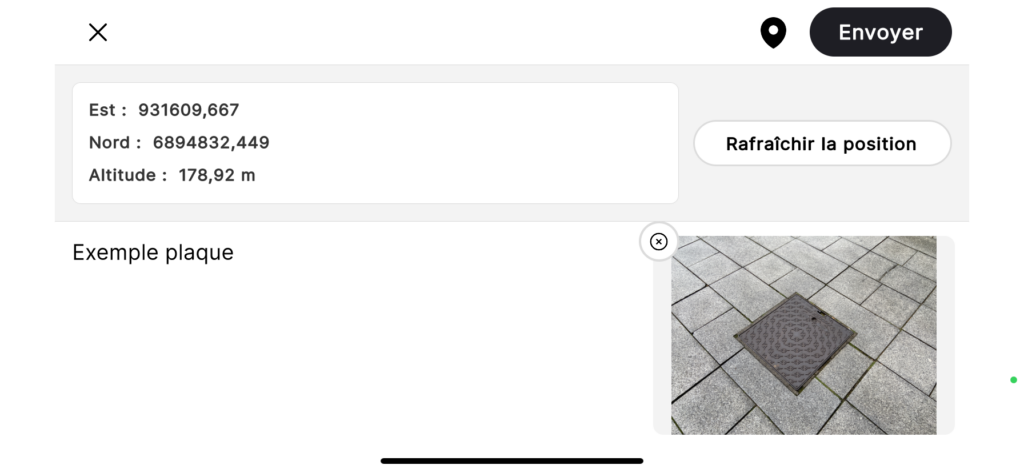
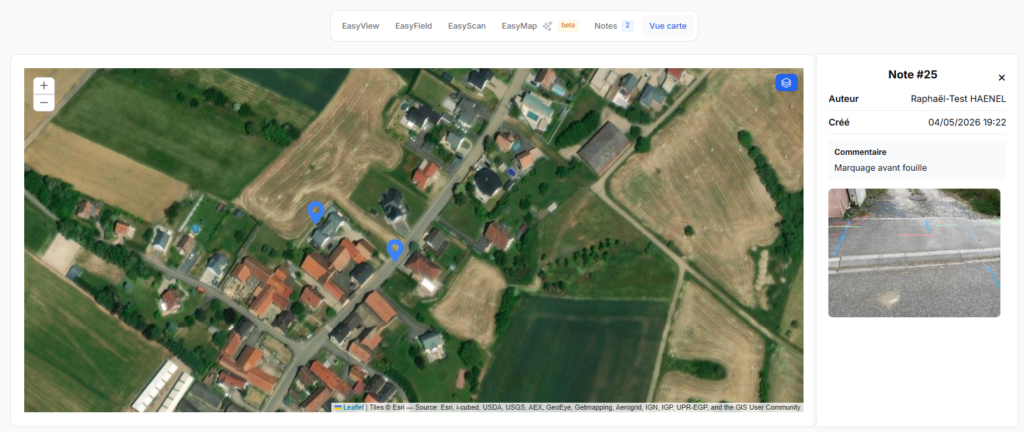
Notes are displayed as markers directly on the map and in the augmented reality view. The content of each note (comment and photo) can be accessed at any time from EasyView, both in plan view and augmented reality molde, as well as from the EasyDesk web portal.
Here’s what the feature looks like in the EasyView app:
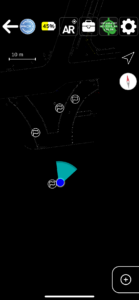
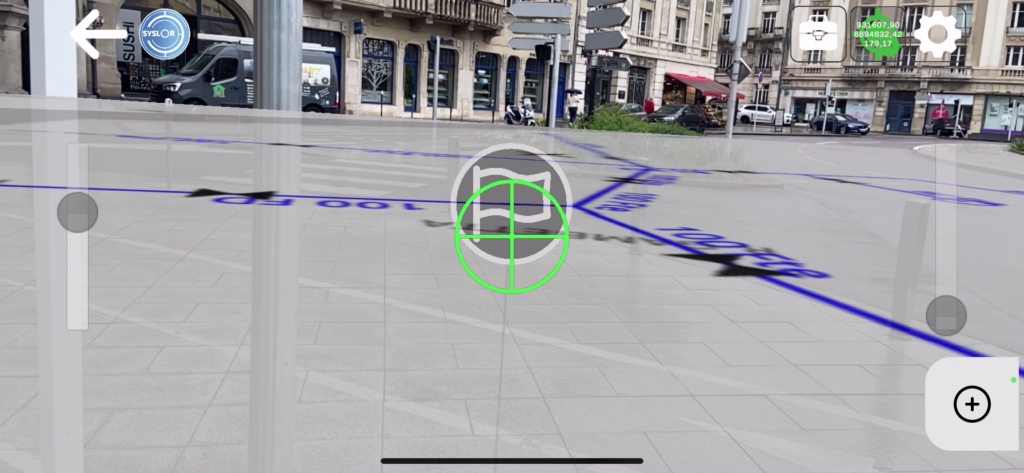
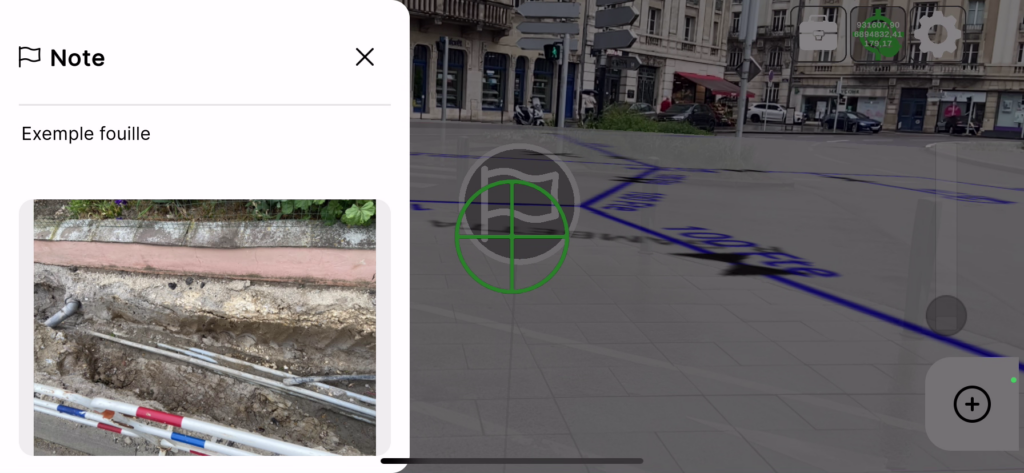
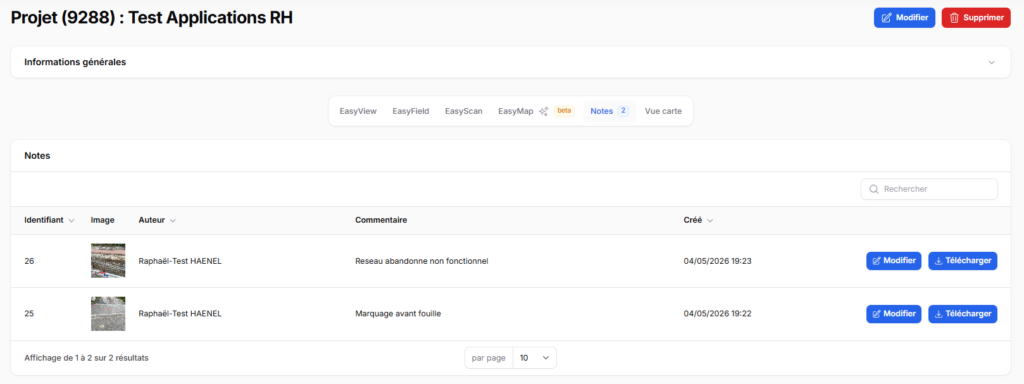
On the web portal side (EasyDesk):
Real-World Use Cases on Site
This feature addresses several operational needs across different field scenarios:
Identification and Reporting of Anomalies
As soon as a non-compliance is identified — structural defect, deviation from plans, or damage — the operator creates a note on site, including a photo and precise location. The information is instantly available on the portal, with no delay or data loss.
Pre-Project Phase
During initial site inspections, observations collected in EasyView are directly integrated into the project. The engineering office receives a geolocated field report immediately after the visit, without any need for re-entry.
Execution Monitoring
Project managers can document progress site by site, build a geolocated history of inspections, and share this information in real time with office teams.
Discovery of an Unknown Network
When an unreferenced network is uncovered during construction, work is paused to assess the situation. Depending on the context, geolocated notes play a key role: in case of impact, they provide documentation for the joint damage report; if the network is inactive, they allow the discovery to be documented without necessarily halting project progress.
Automatic Centralization in the EasyDesk Portal
All notes created in the field are synchronized with the corresponding project in the EasyDesk portal. All stakeholders with access to the project — surveyors, site managers, project managers — can view the notes directly from the portal map, with no file transfer or intermediate steps required.
Available Now
Contact us via the contact form. Want to see the feature in action? Request a demo. Prefer to reach out directly: contact@syslor.net