Solutions

EasyField evolves: new features to enhance accuracy and productivity

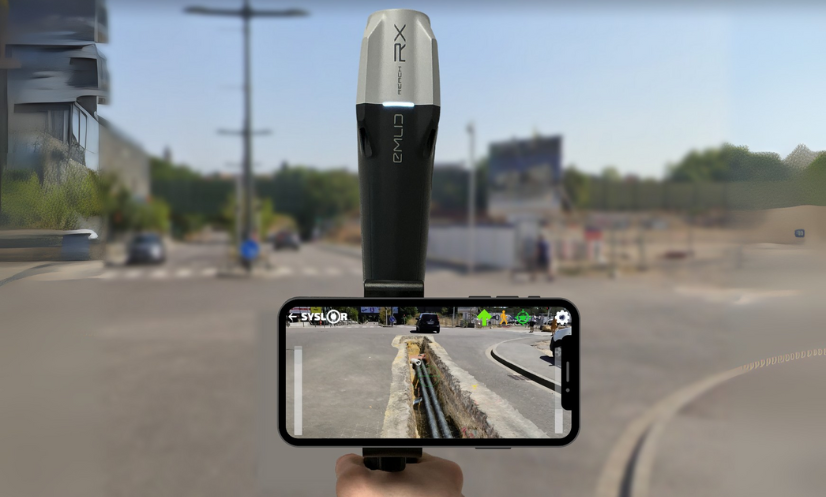
EasyField evolves to improve field productivity On public works sites and in underground utility network management, time pressure continues to increase. Field teams must deliver results faster while ensuring impeccable data quality. As part of its continuous improvement approach, EasyField introduces new features focused on two key operational priorities: accelerating data capture and strengthening dimensional control directly in the field. These enhancements are based on user feedback and real-world site usage. Point surveying now available in 1 second Speed is one of the most frequently expressed needs from field teams. On some projects, a large number of points must be surveyed, and every second counts. EasyField now offers two capture modes. Two capture modes adapted to site constraints A 1-second fast mode significantly accelerates surveying operations, particularly on linear networks or large-scale construction sites. It improves workflow fluidity and reduces overall time spent on site. A 5-second standard mode remains available when environmental conditions require longer GNSS signal stabilization or when the user prefers additional measurement consolidation. This flexibility allows fast surveying to be adapted to real site conditions without increasing operational complexity. New real-time measurement and dimensioning features Beyond measurement speed, the application update strengthens geometric control directly from the smartphone, with two new features: Linear dimensioning (both partial — segment by segment — and total or cumulative line length) Area dimensioning (automatic calculation of the surface area enclosed within the geometry) Dynamic display of segment distances When creating a polyline, EasyField displays in real time the distance between the last surveyed point and the vertex currently being positioned. The operator instantly sees the length of the active segment, while partial distances of all existing segments are also displayed, providing complete and precise tracking of the polyline with each new capture. This real-time visualization allows immediate adjustment of vertex spacing and helps avoid corrections after export. Cette visualisation en temps réel permet d’ajuster immédiatement l’espacement des sommets d’un tracé et d’éviter les corrections après export. Automatic calculation of total polyline length Once the polyline is completed, the cumulative length is automatically calculated and displayed within the application. Users can immediately verify measurement consistency before validation. Instant surface calculation for area surveys For area surveys, the surface is automatically calculated as soon as the polyline is closed. This feature simplifies the control of site boundaries, earthwork zones, and operational perimeters directly in the field. Data is no longer merely captured — it is validated at the very moment it is produced. Convert a polyline into a surface Close a polyline to display the surface area value A direct impact on field-to-office workflow efficiency These enhancements deliver tangible operational benefits: 1-second surveying reduces time spent on site Dynamic measurement secures dimensional accuracy Immediate validation limits office rework The result is a more fluid production chain, where data circulates faster and with less uncertainty between field operators, site managers, and design offices. These new features integrate seamlessly into the EasyField ecosystem These capabilities complement the functionalities already available within the application. To discover the full EasyField workflow for stakeout and topographic surveying, explore our detailed solution overview. EasyField also relies on high GNSS accuracy—particularly through our Proteus receiver—to ensure the reliability of field measurements. This update is part of an ongoing commitment to improving site productivity while securing the quality of georeferenced data. Try the new EasyField features The update is available on iOS and Android. To discover 1-second surveying and the new real-time measurement features in action, schedule a demonstration with our team and evaluate how they integrate into your workflow.

EasyField evolves: new features to enhance accuracy and productivity Read Post »
EasyField: the all-in-one solution for staking, topographic surveying, and earthworks

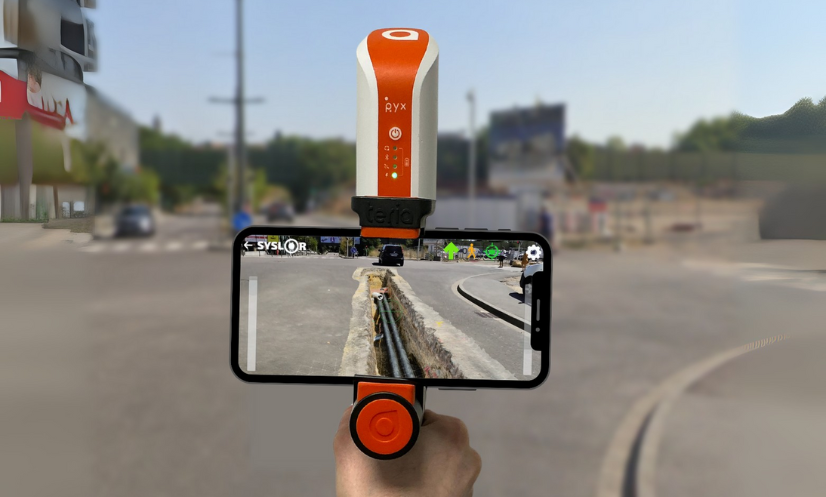
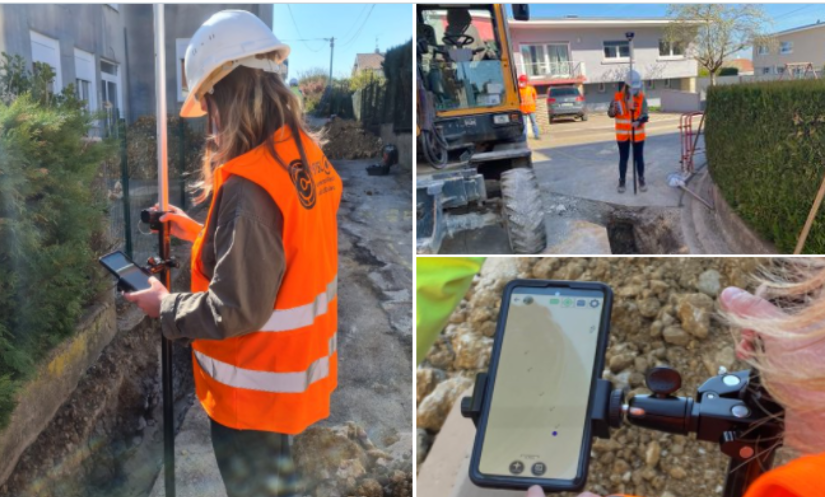
Field operations are facing increasing requirements in terms of reliability, responsiveness, and data quality. For network operators and public works companies, it has become essential to rely on tools that reduce rework, secure field operations, and streamline exchanges between the jobsite and the office. EasyField addresses these challenges by turning a smartphone or tablet into a practical surveying tool tailored to field use. The application covers staking, topographic surveying, and earthworks control within a single mobile environment. EasyField, a mobile surveying application focused on simplicity and accuracy Designed for everyday geospatial operations, EasyField combines: centimeter-level GNSS accuracy, an intuitive interface, a smooth workflow, compatibility with CAD formats (DXF, DWG) as well as point list formats (CSV, TXT, XLSX, ODS). From an iOS or Android smartphone or tablet, plans can be viewed directly in the field, operations are guided step by step, and topographic data is captured and verified throughout the intervention. The goal is to reduce time spent on site while ensuring the reliability of the data produced. Staking: fast and plan-compliant field execution Site staking plays a key role in the success of a project: it ensures the accurate transfer of execution plans to the field by guaranteeing precise positioning of structures, and helps prevent construction errors or delays caused by rework. As a critical phase, it requires reliable tools that can be quickly deployed on site. Turning a digital plan into an operational guide EasyField allows you to import your plans in DXF and DWG formats and view your elements (points, lines, areas) directly on mobile. The application then provides real-time guidance, including: distance indication, direction to follow, confirmation upon arrival. Benefits for field teams With EasyField, staking becomes an accessible operation, even without advanced surveying expertise: Faster staking Greater autonomy for field teams Access to always up-to-date georeferenced data Reduced travel and rework Less reliance on subcontractors Topographic survey: capturing field reality in just seconds Topographic surveys are essential for updating underground networks, documenting project progress, or preparing future works. Simplified topographic surveying EasyField allows you to capture: points, polylines, circles and arcs, surfaces. Each measurement is recorded with a level of accuracy suited to your operational requirements and can be exported in DXF or DWG for immediate integration. Quality validation at the point of capture Survey quality is checked at the moment of capture, allowing measurements to be validated immediately and avoiding any later rework. The application continuously displays: GNSS information, expected accuracy. Result: a survey validated on the first attempt, with no rework required. Earthworks: immediate control and optimization of earth movements Earthworks often represent a significant portion of a project’s budget. Poor cut-and-fill estimation can lead to major cost overruns. Project surface analysis EasyField allows you to import your DTMs (Digital Terrain Models) to compare: existing terrain, proposed terrain. Identify areas to be corrected at a glance The application automatically displays: cut areas, fill areas, surface areas, elevation differences. This allows adjustment decisions to be made immediately, based on reliable data. Who is EasyField for? EasyField is designed to meet the needs of different stakeholders facing the same challenges: saving time, improving the reliability of field operations, reducing errors, and streamlining data flow between the field and the office. Here’s how the application adapts to each user profile. Surveyors: remote supervision, validation, and reduced travel For surveyors, one of the main challenges is the frequent back-and-forth between the field and the office, as well as data transfer between teams. The value of EasyField truly comes into play when used with the Syslor platform, which centralizes plans, synchronizes surveys, and ensures data consistency between the design office and the jobsite. This office ↔ field workflow guarantees controlled production and greater operator autonomy. With the application, surveyors can: prepare staking plans in the office and instantly send them to field teams, retrieve surveys without traveling to the site, review data immediately after it is generated, focus their time on truly critical operations. EasyField becomes an operational support tool, allowing surveyors to work more efficiently while maintaining full technical control over their data. Underground network operators and asset managers: ensuring reliable cartographic updates For underground network operators and asset managers (water, electricity, telecom, gas, wastewater), keeping cartographic data up to date is essential to improve: safety, network maintenance, asset knowledge, regulatory compliance. Teams have access to georeferenced surveys that can be immediately integrated into GIS or CAD systems. On site, you can: accurately survey installed networks, document each asset in real time, reduce cartographic update delays, limit the risks of mislocation or uncertainty. Information becomes reliable, standardized, and immediately integrable into the network asset database. Field operators: a guided and intuitive interface Not all field operators are trained in surveying. EasyField is designed with them in mind, with an interface that makes every action easy to understand. The application simplifies: onboarding in just a few minutes, viewing plans directly on mobile, visual guidance for staking and surveying, real-time validation of captured points, automated data export. No surveying expertise is required: the tool builds confidence for field teams and ensures reliable results from the first attempt. Why choose EasyField ? EasyField fits into a structured approach to field operations by combining data reliability, ease of use, and interoperability with existing tools. Certified GNSS accuracy tailored for public works EasyField works with our Proteus GNSS receiver as well as Emlid Reach RS2 and Teria Pyx GNSS receivers, ensuring centimeter-level accuracy essential for: staking, topographic surveying, earthworks control, network updates. Measurement quality is displayed directly in the application, allowing data to be validated at the moment of capture, with no risk of error. Reliable data from the start means less rework, less uncertainty, and lower costs. Unmatched ease of use EasyField is designed to be used by any team member, even without surveying experience.The application is built around: clear visual guidance, consistent workflows. This simplicity significantly reduces: handling errors, training requirements, dependence on technical experts. Your smartphone becomes a professional tool that is immediately operational. Time savings and cost

EasyField: the all-in-one solution for staking, topographic surveying, and earthworks Read Post »

How Merging Orthophotos and Point Clouds Enhances Project Accuracy

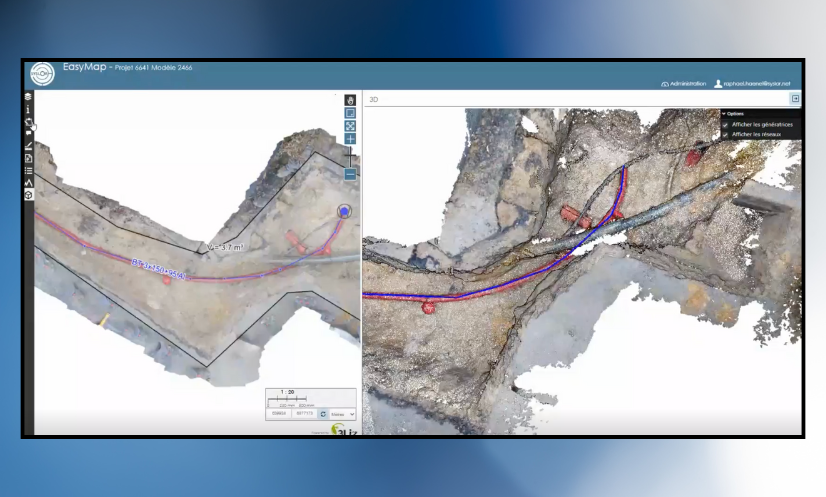
On construction sites, each photogrammetric survey generates its own dataset — an orthophoto, a point cloud, sometimes dozens of separate files to manage. Over time, these fragmented deliverables become difficult to work with. Misaligned joins, overlapping zones, or missing areas can compromise the overall topographic consistency of the project. For surveyors, engineering offices, and project managers, the issue is often the same: getting a comprehensive and accurate view of the site requires time-consuming manual work, which increases the risk of errors. This is exactly the challenge addressed by the merging of orthophotos and point clouds.By bringing all survey data together into a single, unified, georeferenced model, this process delivers a continuous, coherent, and readily exploitable view of the project. Beyond improving readability, accuracy, and efficiency across the entire production chain, it also saves a significant amount of time for survey teams when preparing their deliverables. To better understand its advantages, let’s start by defining what the merging of orthophotos and point clouds actually is. What Does Merging Involve? Merging consists of combining several separate orthophotos or point clouds into a single, unified, and consistent view, while preserving the original centimetric accuracy and georeferencing.Each area captured during the photogrammetric survey is repositioned within the same coordinate system to create a continuous mosaic of the project. The merging process relies on rigorous management of metadata and spatial coordinates. This ensures that all datasets align perfectly — without offset, elevation gaps, or quality loss. The result is a unified model that faithfully represents the entire site, enabling consistent and accurate measurements across the whole area. With this merging process in place, it becomes possible to visualize, measure, and vectorize an entire project from a single unified dataset, regardless of the project’s size or complexity. Now that the concept of merging is clear, let’s look at how it concretely improves the production and use of photogrammetric deliverables. Why Merge Your Photogrammetric Deliverables? Merging is not just a simple file combination — it’s a key step that allows teams to fully leverage the richness of photogrammetric data while ensuring the consistency of all deliverables.Here are the main advantages it brings, both in the field and in the office. Gain a Global View of the Project and In-Situ Context Merging provides a comprehensive view of the construction site, restoring the entire area within a single, continuous representation.It makes it possible to place each work zone within its broader environment — a valuable advantage for large-scale sites or linear projects such as roads, utilities, or railway corridors. This unified view helps teams understand how different areas interact, for example between the construction footprint, the surrounding environment, and existing underground or above-ground networks. Improve Vectorization Accuracy and Spatial Consistency By merging several orthophotos or point clouds within the same reference system, merging eliminates alignment errors between deliverables.It ensures a homogeneous topographic continuity, which is essential for: the precise vectorization of utility networks, the production of reliable as-built plans, and volume or surface calculations. Each measurement is therefore based on a coherent, georeferenced dataset, with no risk of misalignment between areas. Simplify the Use of Your Deliverables Through Centralized Data With merging, there’s no need to juggle multiple files anymore.Orthophotos and point clouds are grouped into a single unified view, speeding up processing and reducing the risk of errors during plan production or verification. This approach also simplifies importing deliverables into standard GIS or CAD software (DGN, DXF, CSV): a single, complete, georeferenced file, immediately ready for use by all project stakeholders. Enhance Collaborative Work By providing a single, consistent source of truth, merging makes collaborative work much easier.Everyone works from the same reference dataset, improving both validation and quality control of deliverables throughout the entire project lifecycle. Looking Ahead: Tracking Project Progress Over Time In the long term, merging opens the door to new possibilities: tracking the evolution of a construction site over time, overlaying successive surveys (before and after works), and building a true digital twin of the project. This approach will make it possible to accurately analyze site transformations — from earthworks to network installation — and to ensure complete traceability of all operations. How Syslor Facilitates the Merging of Orthophotos and Point Clouds The merging of orthophotos and point clouds truly reveals its value when it’s part of a seamless workflow — from data capture in the field to data processing and analysis. This is exactly what Syslor offers through two complementary solutions: EasyScan for photogrammetric surveying, and EasyMap for the visualization and processing of deliverables. EasyScan – Accurate and Standardized Photogrammetric Capture Everything starts in the field with EasyScan, the solution designed to perform georeferenced photogrammetric surveys. Each survey performed with the EasyScan application ensures centimetric accuracy and structured, standardized data.As a result, right from the survey phase: orthophotos and point clouds are perfectly aligned within the same reference system; deliverables are immediately available in EasyMap for further processing and analysis. EasyMap – Merging and Centralized Management of Deliverables Once the surveys are completed, EasyMap (formerly Sysmap) takes over. The tool, available directly through the Syslor web portal, assembles orthophotos and point clouds from different photogrammetric surveys to generate a unified overview of the entire project. The user then gains access to a comprehensive environment to: visualize the construction site as a whole, vectorize networks on a consistent base, perform measurements and volume calculations without discontinuities, and export reliable as-built plans with full confidence. This automation ensures a smooth, continuous production workflow, from field survey to final deliverable delivery. Ready-to-Use and Interoperable Deliverables Thanks to the complementarity between EasyScan and EasyMap, all data is aligned, merged, and immediately usable across any working environment — CAD, GIS, or collaborative platforms.The result: greater accuracy, less post-processing, and improved traceability throughout the entire project lifecycle. Want to learn more? Request a demo. A Unified Vision for More Accurate and Actionable Deliverables The merging of orthophotos and point clouds is not just a technical step — it’s a key requirement for ensuring the reliability and readability of

How Merging Orthophotos and Point Clouds Enhances Project Accuracy Read Post »

EasyMap News - October 2025

Customized Attribute Libraries, 3D Editing, and Model Concatenation: What’s New at Syslor? 

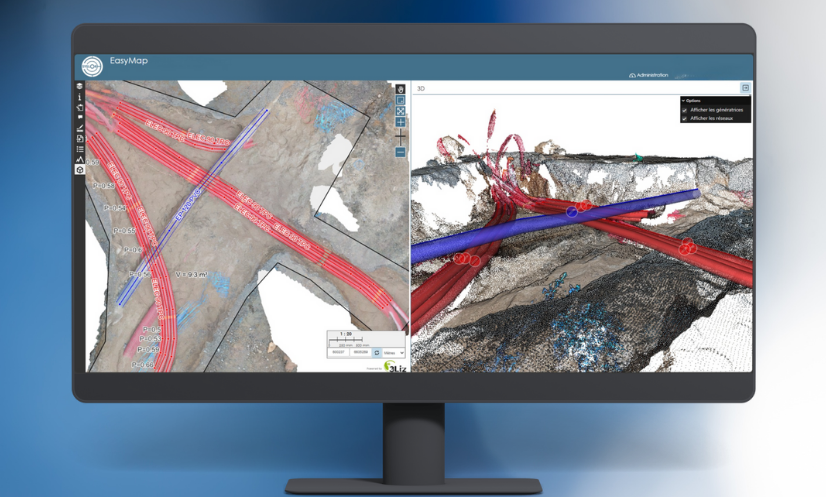
Syslor is enhancing its EasyMap platform with three new features that make daily operations even smoother for field and design teams. EasyMap is the drawing and tracing tool accessible directly from the Syslor portal, used by EasyScan users to edit orthophotos and point clouds generated from photogrammetric surveys. It enables users to transform survey data into usable plans, control altimetry, and monitor project progress.  The new features focus on three key aspects:  Customizable vectorization,  The move from 2.5D to full 3D,  Model concatenation for an overall project view.  All these improvements share a common goal: simplify deliverable production, increase accuracy, and ensure better continuity between all project stakeholders.  Customize Vectorization to Match Your Standards Attribute Libraries Tailored to Your Needs Every company applies its own mapping standards. EasyMap now includes customizable attribute libraries, grouping the necessary object families (electricity, water, heating, telecom, wastewater, etc.) in line with your internal practices. Ready-to-Use, Standards-Compliant Exports Generated plans automatically comply with your nomenclatures and export formats (DXF, DGN, etc.). No more manual adjustments — exports from EasyMap are structured, standardized, and complete, saving time and reducing the risk of error.  Control and Edit in 3D While Keeping the Simplicity of 2.5D The Limits of 2.5D 2.5D remains widely used because it’s lightweight and easy to handle. However, it reaches its limits when verifying altimetry or working with overlapping networks. On the other hand, navigating within a 3D view allows for continuous control, but it is less intuitive and straightforward due to the complexity of three dimensions. Dual View for Greater Precision EasyMap now offers a dual view: a classic 2.5D view on the orthophoto to maintain the simplicity of tracing, a 3D view of the point cloud to verify altimetric consistency and interact directly with objects. Thanks to this combination, it is now possible to: draw networks on the orthophoto while simultaneously checking the accuracy and diameters within the point cloud, edit in 3D, allowing users to trace networks or modify a point directly in the point cloud and instantly visualize the impact on the orthophoto. This interaction between the point cloud and the orthophoto greatly enhances the accuracy of as-built documentation. Concatenate Models for a Complete Project Overview Global Project Management and Tracking Model concatenation automatically groups multiple photogrammetric surveys into coherent zones. This provides not only a macro view of the project but also continuous monitoring of its progress. This global approach facilitates project management, team coordination, and the progressive updating of data throughout the project. Global statistics (lengths, network types, progress rates) offer a clear and centralized overview. The choice of the background map allows for better contextualization of the project. Continuity and Unified Export Overlapping areas are automatically flagged as attention points. A dedicated process ensures topological continuity between models, reducing connection errors and ensuring smooth, uninterrupted tracing. The entire project can then be exported as a single, consistent file in all standard industry formats. Result: a single, fast, and consistent export, directly usable in standard industry formats (CSV, DXF, DGN, etc.), with no manual post-processing required. A Step Toward Greater Automation These new features already simplify users’ daily workflows by reducing manual corrections and improving coordination. They also mark the next step in Syslor’s broader roadmap: 3D tracing, AI-assisted drawing, and georeferenced annotations will soon further enrich the EasyMap experience.

Customized Attribute Libraries, 3D Editing, and Model Concatenation: What’s New at Syslor?  Read Post »

Scroll to Top